
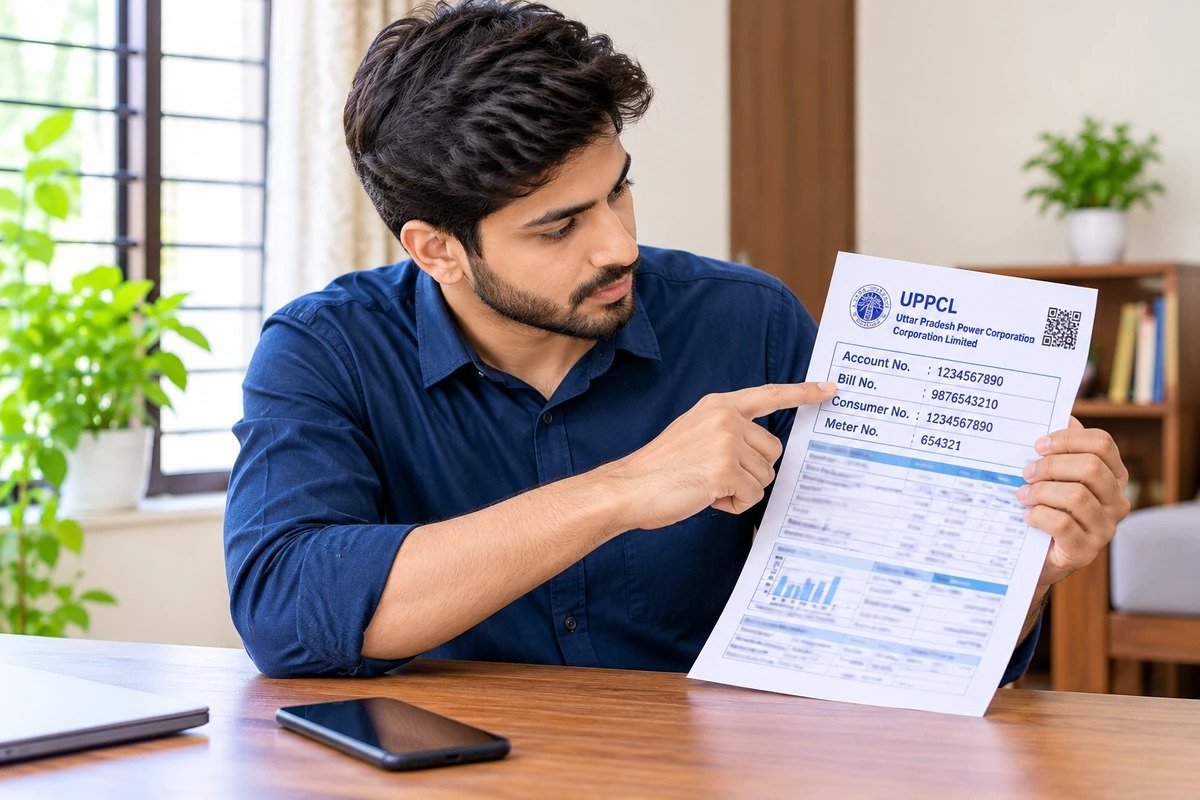
Find your UPPCL account number, bill number, and consumer number online with simple steps to locate these details easily on your electricity bill or portal.
Your UPPCL account number is printed right on your electricity bill, usually labeled “Account ID,” “Account Number,” or “K number.”
If your bill isn’t nearby, your registered mobile number lets you pay or check your details directly, and customer care is always an option too.
Account Number vs Bill Number vs Consumer Number vs Meter Number
| What You See on Your Bill | What It Actually Means | What It’s For |
|---|---|---|
| Account Number, Account ID, or K.No. | Your main connection number. This is the one you’ll use most. | Paying bills, raising complaints, any service request |
| Consumer Number | Just another name for the number above. Not a different number. | Same as your account number. |
| Bill Number / Bill ID | A number that changes every month, tied to that month’s bill only | Only needed if you’re asking about one specific month’s bill |
| Meter Number | The ID of the physical meter at your home | Only needed for meter faults or reading disputes |
You really only need to remember one number for almost everything: your account number. UPPCL also calls it an account ID or K.No., but it’s all the same thing. If you’ve heard the term “consumer number” somewhere, that’s this number too, just a different name for it.
Where You Can Find Your Account Number
- Your electricity bill, usually the fastest option since it’s printed clearly on every copy
- The UPPCL Pay Bill page, where your registered mobile number works just as well as your account number
- The UPPCL Consumer App, where entering your district and Account ID brings up your details right away
- An old payment receipt, if you’ve paid through UPPCL’s own receipt service before
- UPPCL customer care, a quick call that can sort things out with no bill or app required
Most people find what they need in the first two options, so it’s worth starting there before trying anything else.
How to Find Your Account Number, Step by Step
Offline Method
Check Your Bill
- Your bill works whether it’s a paper copy, a PDF, or just a photo saved on your phone
- Look for a field labeled Account No., K.No., or Account ID.
- That’s the number you’ll use for payments and most other UPPCL services.
Online Methods
Use the UPPCL Pay Bill Page.
- Go to UPPCL’s official Pay Bill page.
- Enter either your account number or your registered mobile number, whichever you have handy.
- Your bill and account details will come up from there.
This is worth knowing because you don’t need your account number memorized if your mobile number is already registered with UPPCL.
Use the UPPCL Consumer App
- Open the app and select your district (PUVVNL, MVVNL, DVVNL, or PVVNL, depending on where you’re located).
- Enter your account ID.
- Verify with the OTP sent to your registered mobile number.
Keep in mind the app asks for your account ID upfront. It’s built for consumers who already have the number, not as a way to recover a forgotten one.
Check an Official Payment Receipt
UPPCL’s website offers an online receipt service, but you’ll need your account number to pull it up. If you have an old receipt from a third-party app like Paytm or PhonePe, check it too. Some show the full account number, though this isn’t guaranteed across every provider.
Why This Number Matters
Your account number comes up almost every time you deal with UPPCL. Here’s where you’ll need it:
- Your monthly bill payment, whether online or at a counter
- A complaint about power outages, billing errors, or meter issues
- An old bill you want to download or reprint
- A name change or address update on your connection
- Your past usage or consumption history
It’s worth saving once you find it so you won’t have to search for it next.
No Bill? Here’s What to Try
- Use your registered mobile number on the Pay Bill page instead of hunting for your account number.
- Any old bill works just as well as a recent one. The number doesn’t change for most consumers (rural consumers on the older system are an exception, covered below).
- Once you track your number down, save it somewhere easy to find, like a note on your phone.
When You Need to Call
UPPCL’s customer care numbers are 1912 and 1800-410-1912. These apply across all four UPPCL distribution zones (PUVVNL, MVVNL, DVVNL, PVVNL), so there’s no need to track down a separate number for your specific area.
Before you call, take a minute to keep your name, address, and any old bill or payment reference close by. This gives the support team something to work with if you’re trying to recover account details.
A Few Tricky Situations
No account number, no bill, no app access?
Call UPPCL customer care and share your name, address, and any past payment reference you have, like a bank or UPI transaction. This gives the support team enough to work with and locate your connection manually.
All you have is your registered mobile number?
That’s enough for the Pay Bill page; no account ID is needed there. The app works a bit differently, though; it’ll still ask for your account ID along with your district before sending the OTP.
Your old account number suddenly stops working?
If you’re a rural consumer, this is probably the reason. UPPCL offers a facility that converts older account numbers into a new 10-digit format. A quick call to customer care will tell you whether your account has already been migrated, and they’ll sort you out with the updated number.
Wondering about your bill on a prepaid smart meter?
You still get one every month, generated automatically. It can reach you by SMS, or you can check it directly through the UPPCL website or Smart App, along with your recharge history. Just keep in mind your recharge or token reference isn’t the same as your account ID, so don’t mix the two up when looking things up.
Common Problems and What to Check
| Problem | What’s Likely Happening | What to Do |
|---|---|---|
| The payment form won’t accept what you entered | Different payment forms ask for different identifiers. Some accept account numbers or mobile numbers; others may need something else. | Check what the specific form is asking for before retyping |
| The app won’t let you log in | The app needs both your district and account ID before sending an OTP. | Make sure you have your account ID ready first. |
| Can’t find an old bill online | Portal availability can vary by month. | Contact customer care if you can’t locate it yourself. |
What to Do Next
Your account number or mobile number is all you need. Visit UPPCL’s official Pay Bill page, and your bill or latest statement is a few taps away.
Want to know what you owe before you pay? Our UPPCL Bill Calculator gives you a quick estimate in seconds; no login required. And if you’d like a bit more guidance, we’ve got you covered with simple, step-by-step guides on how to check your UPPCL bill and how to pay your UPPCL bill online.
FAQs
Is the bill number the same as the account number?
No. UPPCL treats these as separate identifiers. Your Account ID stays linked to your connection, while the Bill ID applies to one specific billing cycle.
Can I pay my bill without knowing my account number?
Yes. UPPCL’s Pay Bill page also accepts your registered mobile number.
Does my account number ever change?
For most consumers, no. Rural consumers have the option to convert an older account number into a new 10-digit format, so if you’re on that system, your number may be different from what you remember.
Do prepaid smart meter users get a monthly bill?
Yes. Smart meters generate a bill automatically each month, and you can view it through SMS, the UPPCL website, or the Smart App.